Listicles Without Great Visuals Are Just Lists — And Lists Do Not Convert
The listicle format has dominated content marketing for over a decade for a simple reason: it works. Structured, scannable, and inherently shareable, listicles consistently outperform long-form editorial content on time-on-page, social sharing, and email click-through metrics. But the listicles that perform best in the current content environment share a characteristic that is easy to overlook in the focus on format and headline optimization: they have genuinely strong visual content.
A listicle with mediocre imagery is just a formatted list. The visual content is what makes each entry feel worth the reader's attention, what drives social sharing, and what determines whether the content generates the engagement signals that fuel algorithmic distribution. If your listicle content is underperforming, the headline and structure are rarely the problem. The visuals usually are.
Why AI Image Generation Is Particularly Well-Suited to Listicle Content
Listicle content has specific visual production requirements that make it a strong fit for AI image generation. Each entry in a list typically needs its own visual asset — a hero image, an illustration, or a product image — which means a single piece of content can require ten to twenty individual images. Sourcing that volume of imagery through traditional photography or stock licensing is either expensive, time-consuming, or both.
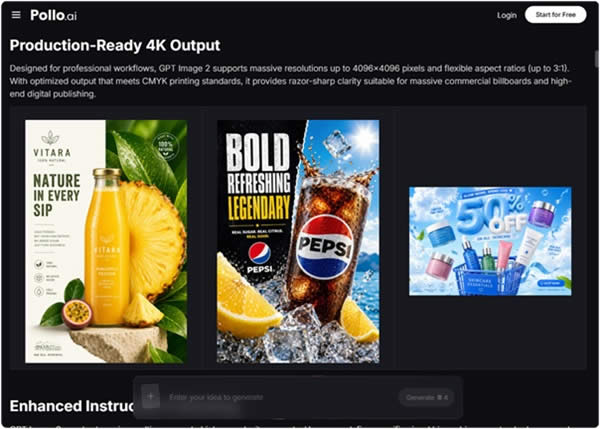
AI image generation addresses this production challenge directly.
GPT Image 2, available through Pollo AI, generates 4K commercial-quality images in approximately three seconds, with pixel-level editing precision and accurate text rendering. Its photorealistic output and strong instruction-following capability make it practical to generate a complete visual asset suite for a ten-entry listicle in under an hour — without stock licensing fees, photography costs, or visual consistency issues across entries.
The Visual Requirements of High-Performing Listicle Content
Consistency Across Entries
The strongest listicles have a visual coherence that makes the content feel like a curated editorial product rather than a collection of unrelated items. This requires visual consistency across all entry images — consistent lighting approach, color palette, compositional style, and tonal quality. AI generation with a well-developed style prompt applied consistently across all entries produces this coherence efficiently.
Entry-Specific Relevance
Each entry image needs to communicate something specific about the item it represents — not just illustrate the category generically. This requires imagery that is detailed and specific enough to add informational value, not just visual decoration.
Social-Optimized Formats
Listicle content drives significant traffic through social sharing, which means each entry image needs to work as a standalone social asset — visually compelling enough to drive engagement when shared out of the context of the full article.
Step-by-Step: Building a Visual Asset Suite for a Listicle
Step 1 — Define Your Visual Style Guide for the List
Before generating any imagery, define the visual style that will apply consistently across all entries in your list. This includes the lighting approach, the color palette, the compositional style, and the overall aesthetic tone. Write this as a set of prompt descriptors that you will apply to every entry — this is the foundation of your visual consistency.
Step 2 — Generate Entry Images Using GPT Image 2
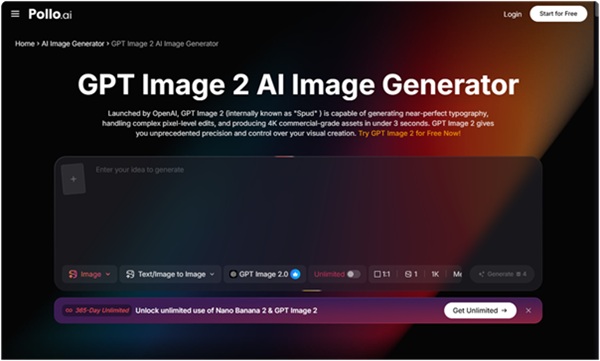
For each entry in your list, write a specific prompt that combines your standard style descriptors with the particular details of that entry. If your listicle is "The 10 Best Home Office Setups for Remote Workers," each entry image should communicate the specific character of that setup — the particular combination of furniture, technology, lighting, and spatial arrangement that defines it — while maintaining the visual consistency established by your style guide.
GPT Image 2's instruction-following accuracy means that specific, well-structured prompts produce output that closely matches the intended visual. Generate two to three variations for each entry and curate the strongest output.
Step 3 — Use Localized Editing to Standardize Specific Elements
Once you have generated your entry images, use the localized editing feature to standardize specific elements across entries — ensuring consistent lighting intensity, color temperature, or compositional framing without regenerating images that are otherwise strong. This step is particularly valuable for maintaining visual coherence across a long list where individual entries may have been generated with slight prompt variations.
Step 4 — Produce Social Distribution Assets
The value of a listicle is multiplied by its social distribution reach. Each entry in your list is a potential standalone social post — a shareable asset that drives traffic back to the full article. Produce social-optimized versions of your strongest entry images, formatted for the specific platforms where your audience is most active.
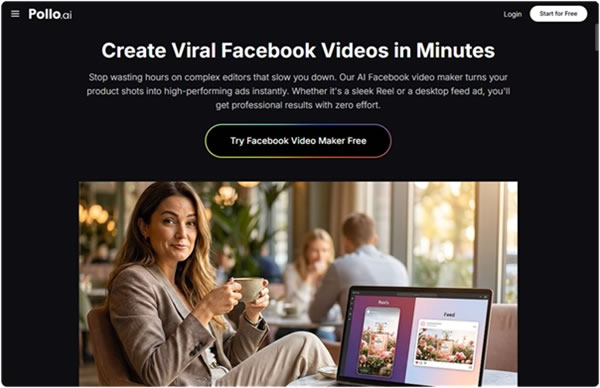
For Facebook distribution specifically, the
Facebook Video Maker capabilities within Pollo AI allow listicle publishers to convert static entry imagery into short-form video content and Reels formats without complex editing tools. The platform's AI virtual presenter feature enables rapid video content production that keeps pace with platform trends, and the mobile-first output format ensures your social video content performs well on the devices where your audience discovers and shares content. Converting your top three to five list entries into Facebook video assets significantly extends the distribution reach of your listicle content.
Step 5 — Build a Reusable Template System
Once you have developed a visual approach that produces strong results for a specific listicle category — home and lifestyle, technology, food and drink, fashion — document the prompt structure and style descriptors as a reusable template. Future listicles in the same category can use this template as a starting point, reducing production time and maintaining visual consistency across your content library.
Advanced Techniques for Listicle Visual Content
Use visual hierarchy to guide reader attention. The strongest listicle entry images have a clear visual hierarchy — a primary subject that immediately draws the eye, secondary elements that provide context, and background detail that communicates atmosphere. Structure your prompts to produce this hierarchy explicitly.
Generate typographic social assets for top entries. For your highest-value list entries — the ones most likely to be shared independently — generate social assets that incorporate the entry title or a key statistic as a typographic element. GPT Image 2's accurate text rendering makes this practical without a separate design tool.
Test visual approaches across entry types. Different categories of list entries may respond better to different visual approaches. Product entries may perform better with clean, studio-style imagery; experience entries may perform better with environmental, atmospheric imagery. Test and document which approaches produce the strongest engagement for each entry type in your content category.
FAQ
1. How many images should a typical listicle have?
A strong listicle typically has one hero image for the article as a whole, plus one image per list entry. For a ten-entry list, that means eleven images total. AI generation makes this volume practical without a significant production investment.
2. How do I ensure visual consistency across a large number of AI-generated images?
Develop a standard set of style descriptors — lighting approach, color palette, compositional style, tonal quality — and apply them as a consistent prefix or suffix to every individual entry prompt. Review all generated images as a set before publishing and use localized editing to standardize any inconsistent elements.
Conclusion: Listicles With Great Visuals Outperform Those Without — Full Stop
The format advantage of the listicle is real, but it is not sufficient on its own. The visual content is what determines whether your listicle generates the engagement signals that drive algorithmic distribution, social sharing, and return visits. AI image generation has made it practical to produce a complete, high-quality visual asset suite for a listicle in a fraction of the time and cost that traditional production methods require.
Define your visual style guide, generate your entry images using GPT Image 2 through Pollo AI, curate and refine your output, and extend your reach through social video distribution. Your next listicle can have the visual quality that drives real performance — start producing it today.
Click here to read full news.. 


